Built for independent cafés

Your POS tracks what you sell.
PantryLedger tracks what you spend.

Scan receipts, track inventory, and see profit per menu item — built for independent cafés.
No credit card required
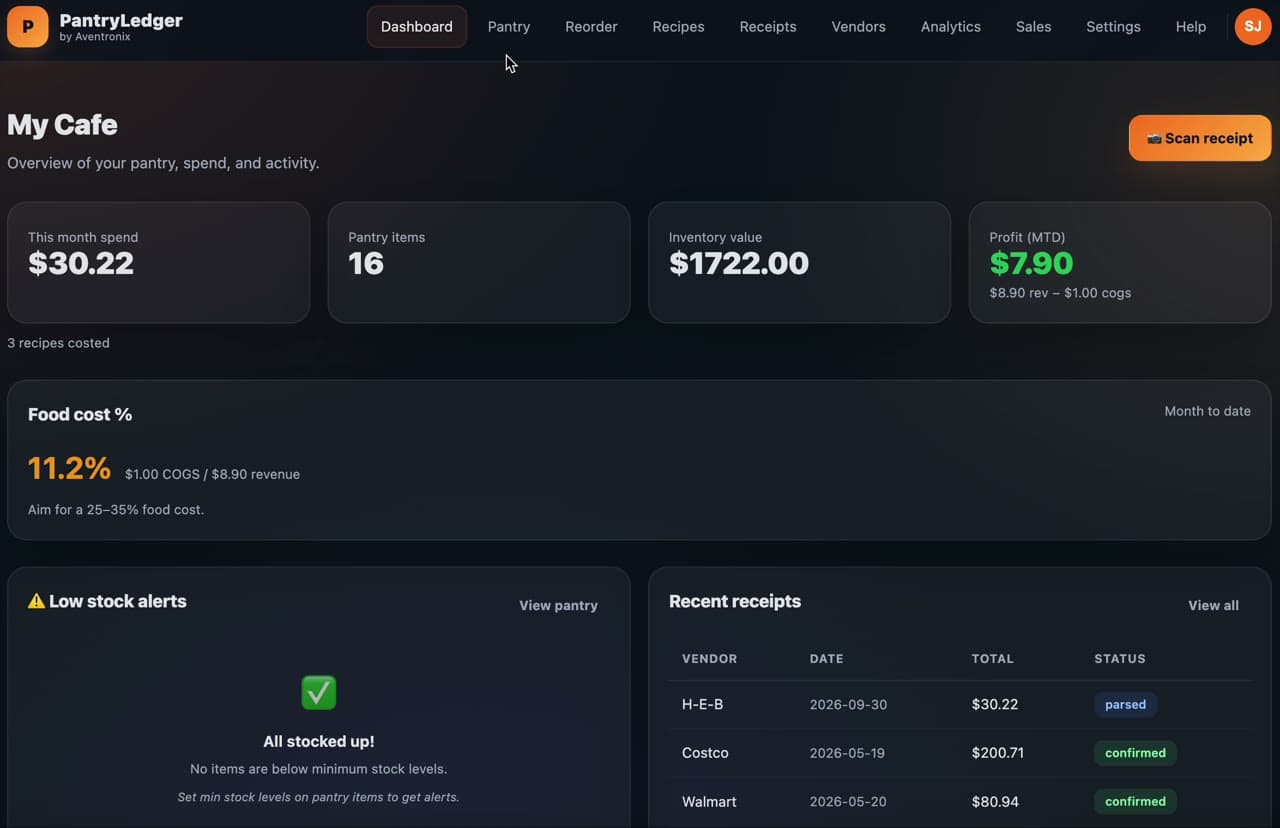
PantryLedger product tour: scanning a supplier receipt, tracking pantry stock, and seeing profit per menu item
How it works

From receipt to profit in three steps

No month-long setup. Connect Square later — you can start with a single receipt today.
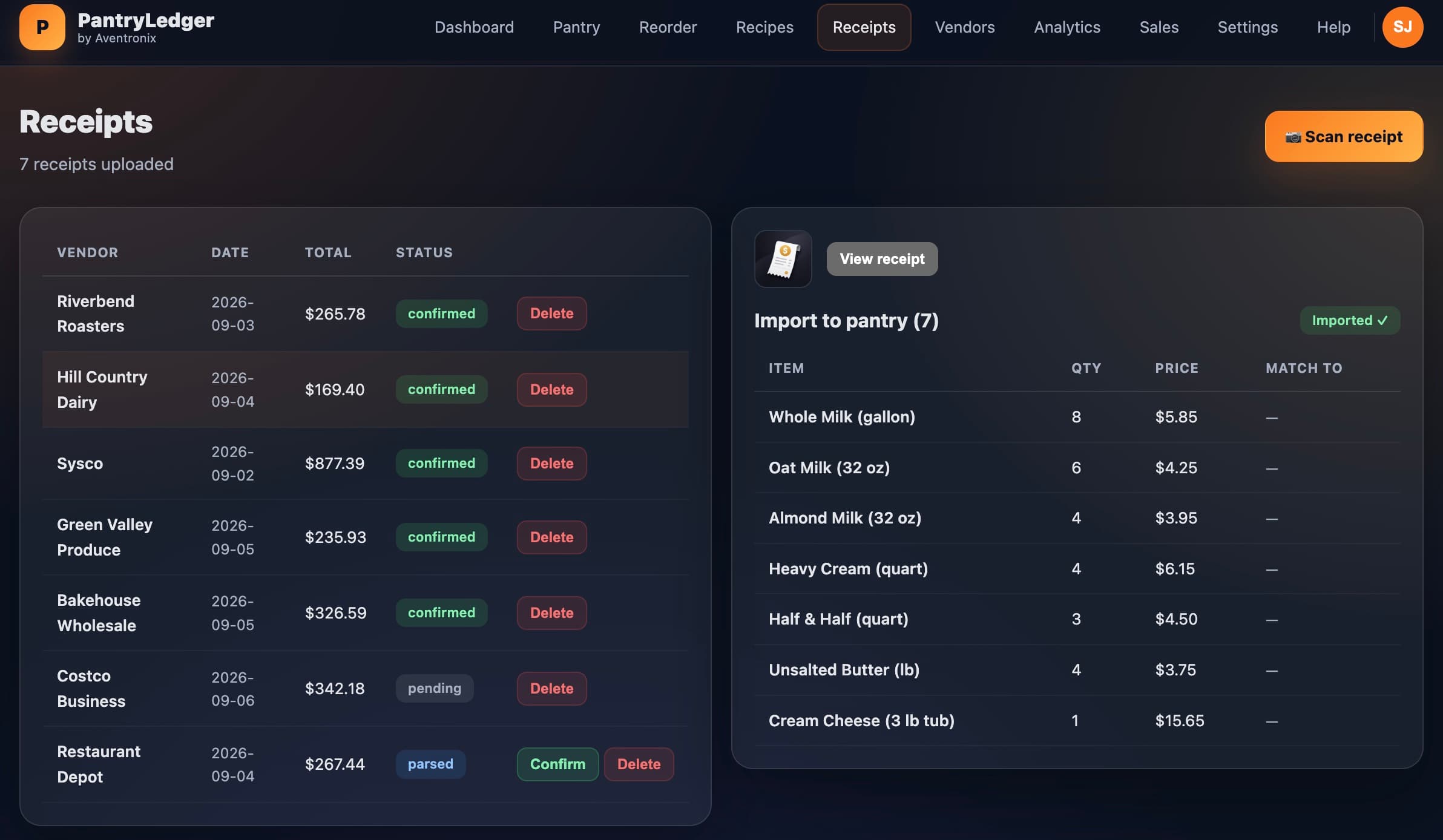
Step 1
Scan a receipt
Snap a supplier receipt and every item lands in your pantry automatically.
PantryLedger receipts screen showing scanned supplier receipts
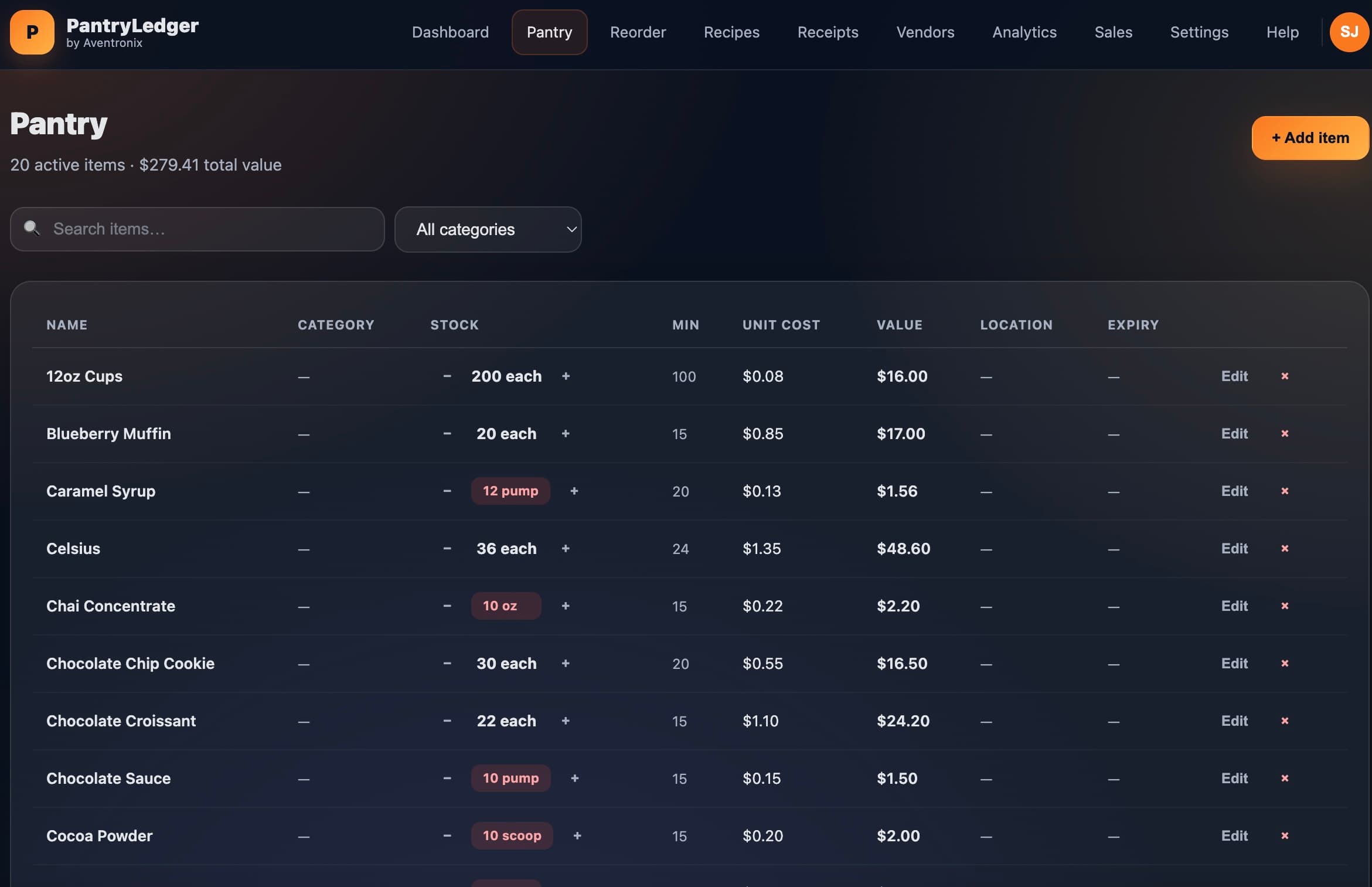
Step 2
Track inventory
Watch stock levels and get reorder alerts before you run low.
PantryLedger pantry screen showing stock levels
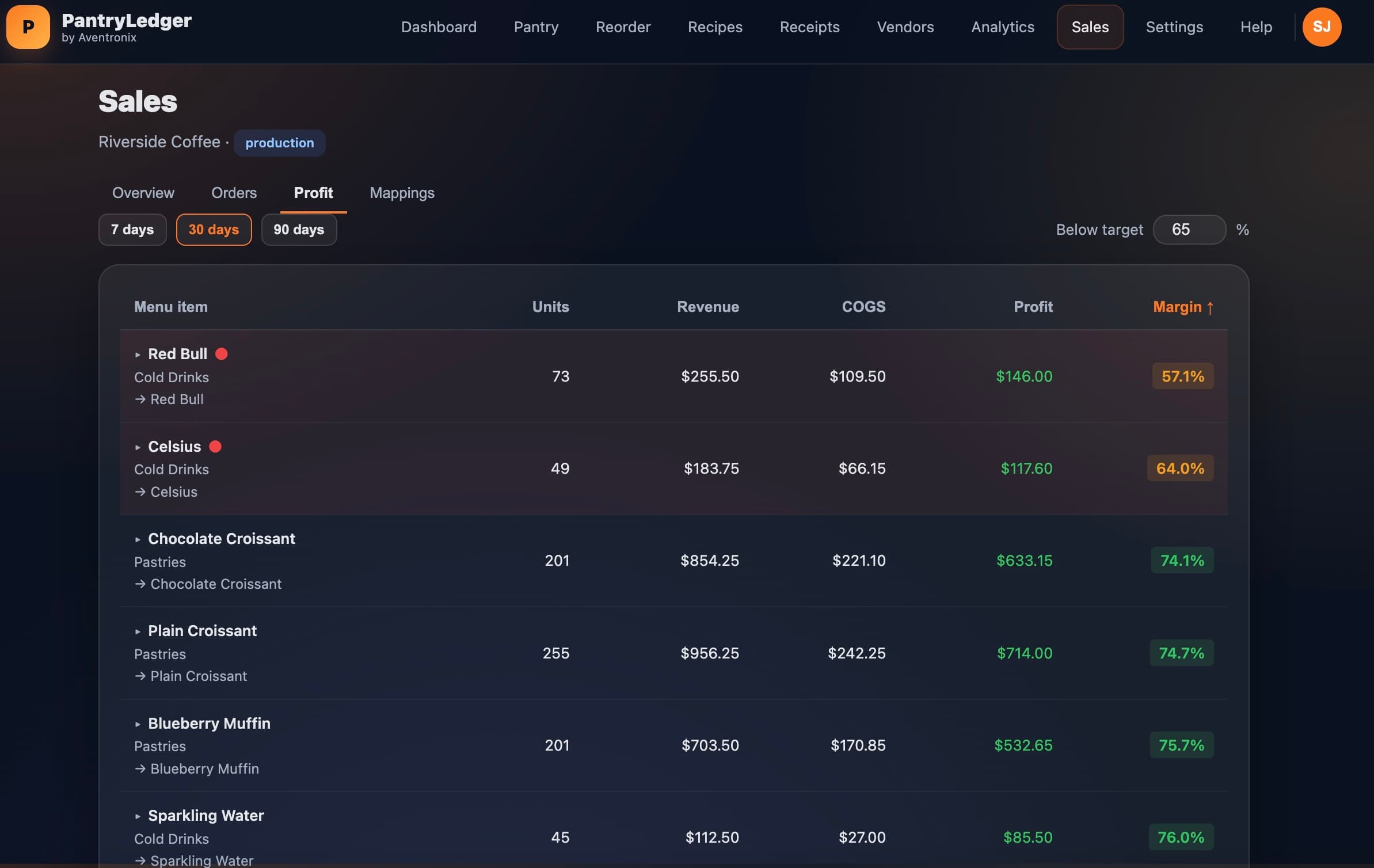
Step 3
See profit
Each sale maps to the ingredients it used, so margin per item updates itself.
PantryLedger profit screen showing margin per menu item
Why café owners switch

Know your numbers without the spreadsheets

Everything you need to run a café, from the receipt to the profit report.

Turn every receipt into clean data

Snap a photo of any supplier invoice. PantryLedger reads the vendor, line items, and totals — no manual typing, no pile of paper.

  • OCR extracts vendors, items, and totals automatically
  • Original receipt saved for your records
  • Everything lands in your pantry, categorized
PantryLedger receipt scanning screen

Know your margin on every menu item

Sales map back to the ingredients they used, so each item shows real profit — not just its price.

  • Per-item profit and margin, updated automatically
  • Recipe costs recalc as prices change
  • Spot the items quietly losing you money
PantryLedger profit-per-item screen

See exactly where your money goes

Break spending down by vendor, category, and month — and walk into tax season with your numbers already sorted.

  • Spend trends by vendor and category
  • Food-cost percentage at a glance
  • Export-ready reports for your accountant
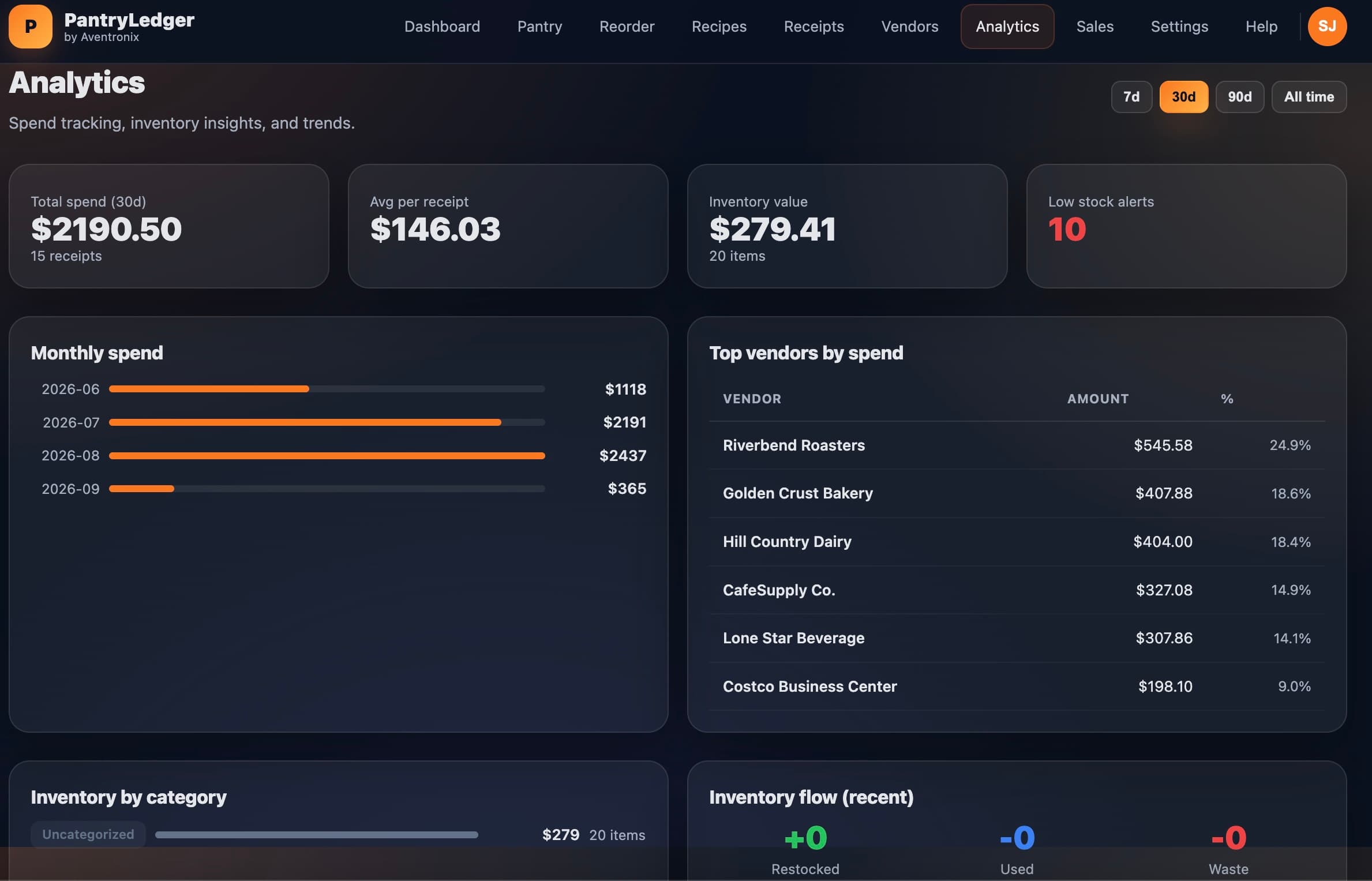
PantryLedger spend analytics screen

Never run out of what customers order

Low-stock alerts and one-click reorder lists keep your bestsellers stocked and your 86 list empty.

  • Reorder alerts when stock runs low
  • One-click reorder lists by vendor
  • Log quantities as you receive and use items
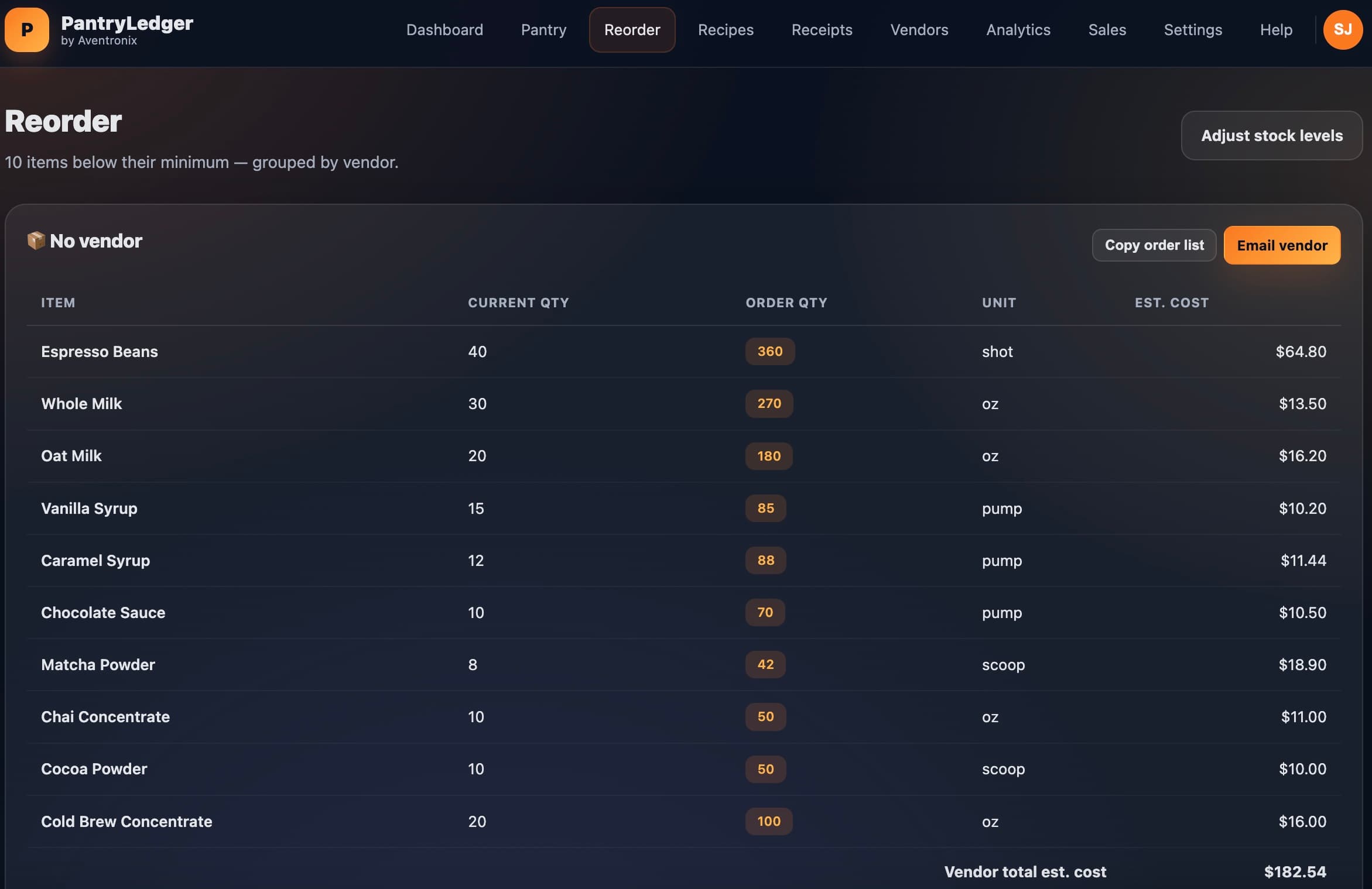
PantryLedger reorder alerts screen

Built for cafés doing $300K–$1.5M a year

Independent shops, not enterprise. If that's you, PantryLedger fits the way you already work.

Honestly not for you if you run a multi-location chain and need consolidated reporting, purchase-order approval workflows, or a dedicated account manager. Those shops are better served by MarketMan or Restaurant365. We built this for one to three locations where the owner is also the person ordering the milk.

No
Contracts
Encrypted
& backed up
256-bit
Encryption
256-bit SSL Made in USA
Simple pricing

Free forever plan — scan 5 receipts/month, no card required

Free
$0/forever
25 items · 5 scans/mo · 1 user
Scan your first receipt free
No credit card required
MOST POPULAR
Monthly
$19/month
Unlimited items · unlimited scans · 5 users
Scan your first receipt free
Cancel anytime
Save $69
Yearly
$159/year
Unlimited items · unlimited scans · 5 users
Scan your first receipt free
Save $69 vs paying monthly
Questions

The things café owners ask first

Will this work with my POS?
Square connects directly — authorise once and your sales sync automatically, mapped to the ingredients each item used. Toast, cash-only registers, ghost kitchens and anything else log sales manually, which takes about thirty seconds a day. You are not locked out of profit tracking for having the “wrong” POS.
How long does setup actually take?
Under five minutes. Pick your POS type, name your business, then scan one receipt — the vendor, line items and totals come off it automatically and land in your pantry categorised. No data migration, no onboarding call, no implementation project. You can change every vendor and category later.
I already use a spreadsheet. Why switch?
A spreadsheet needs every receipt typed in by hand — roughly two to three hours a week — and it breaks silently when a formula gets dragged one cell wrong. Scanning does the entry for you. Low-stock alerts, recipe costs and per-item profit then update themselves as prices move, instead of waiting for you to notice they are stale. Spreadsheets are fine for your first month; they stop being fine around the point you would rather be serving customers.
What happens when the free plan runs out?
Nothing breaks and nothing is deleted. Free is 25 pantry items, 5 receipt scans a month and 1 user — forever, not a trial. Pro is $19/month or $159/year and lifts the limits. No card to start, cancel anytime, and your data exports whether you are on Free or Pro.
Is my data safe, and can I get it out?
Encrypted in transit and at rest, backed up, hosted on Postgres. Row-level security means your business only ever sees its own rows — it is enforced in the database, not just in the UI. Receipts and inventory export to CSV from inside the app at any time, on any plan. No lock-in.

See what your café actually makes

Scan your first receipt in under a minute. No credit card required.

Scan your first receipt free
© 2026 Aventronix · PantryLedger